Last-seconds clip
A shortcut keeps what just played on your PC (game, video, Discord) and turns it into a sound.
Shared soundboard for Discord
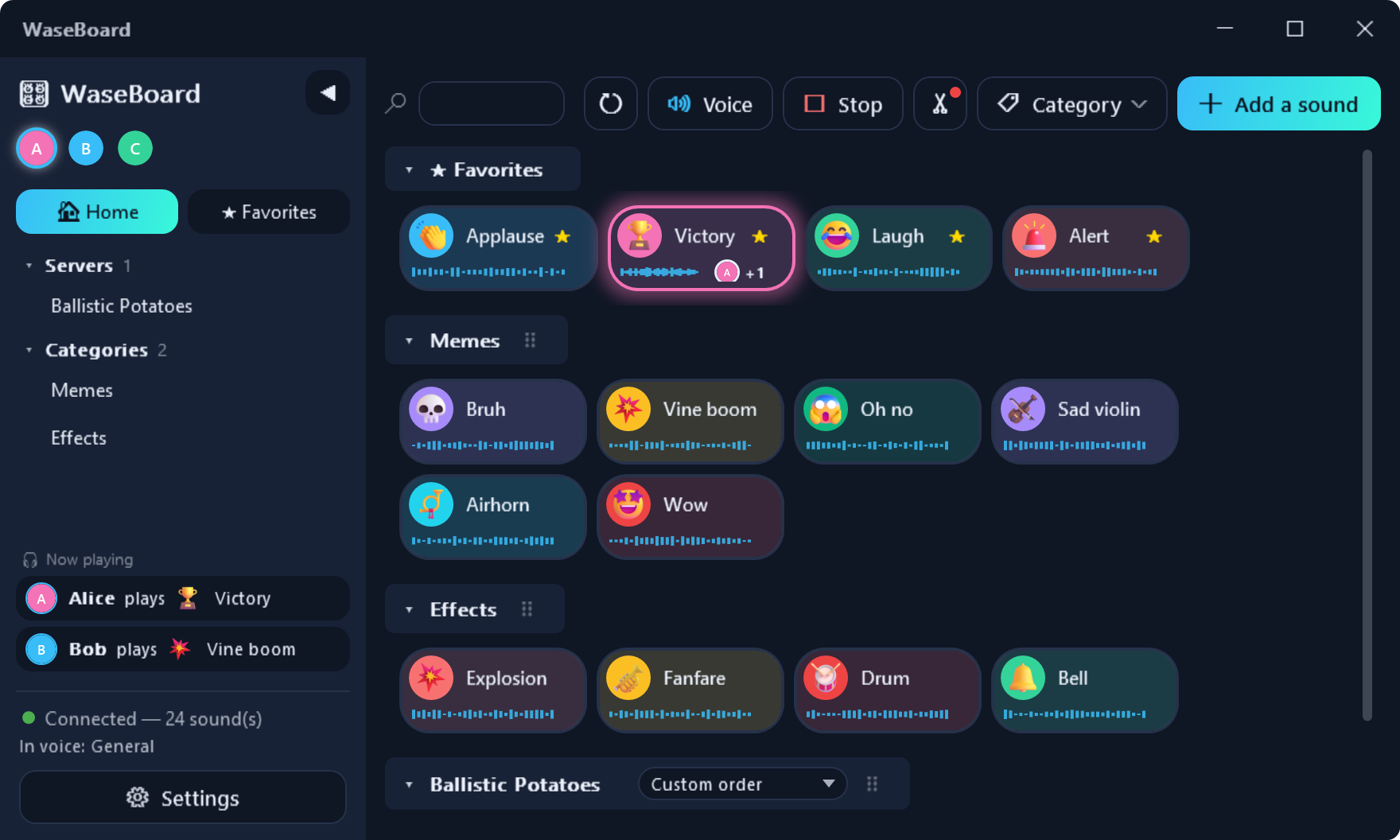
WaseBoard plays your sounds on your speakers and in your Discord voice channel, for everyone, without ever going through your microphone.
Nothing to install with the web version: computer, tablet or phone. Add the bot to my server
Get started
Download the Windows app, or simply open the web version: it is the same sound catalog.
Your account is enough: it is used to show your avatar and find your voice channel. Nothing else to type.
Join a voice channel, click “🔊 Join my voice channel” (or type /join), then click a sound: everyone hears it.
New · web version
Features
A shortcut keeps what just played on your PC (game, video, Discord) and turns it into a sound.
Name, emoji, color, volume from 0 to 200%, trimming on the waveform, file replacement.
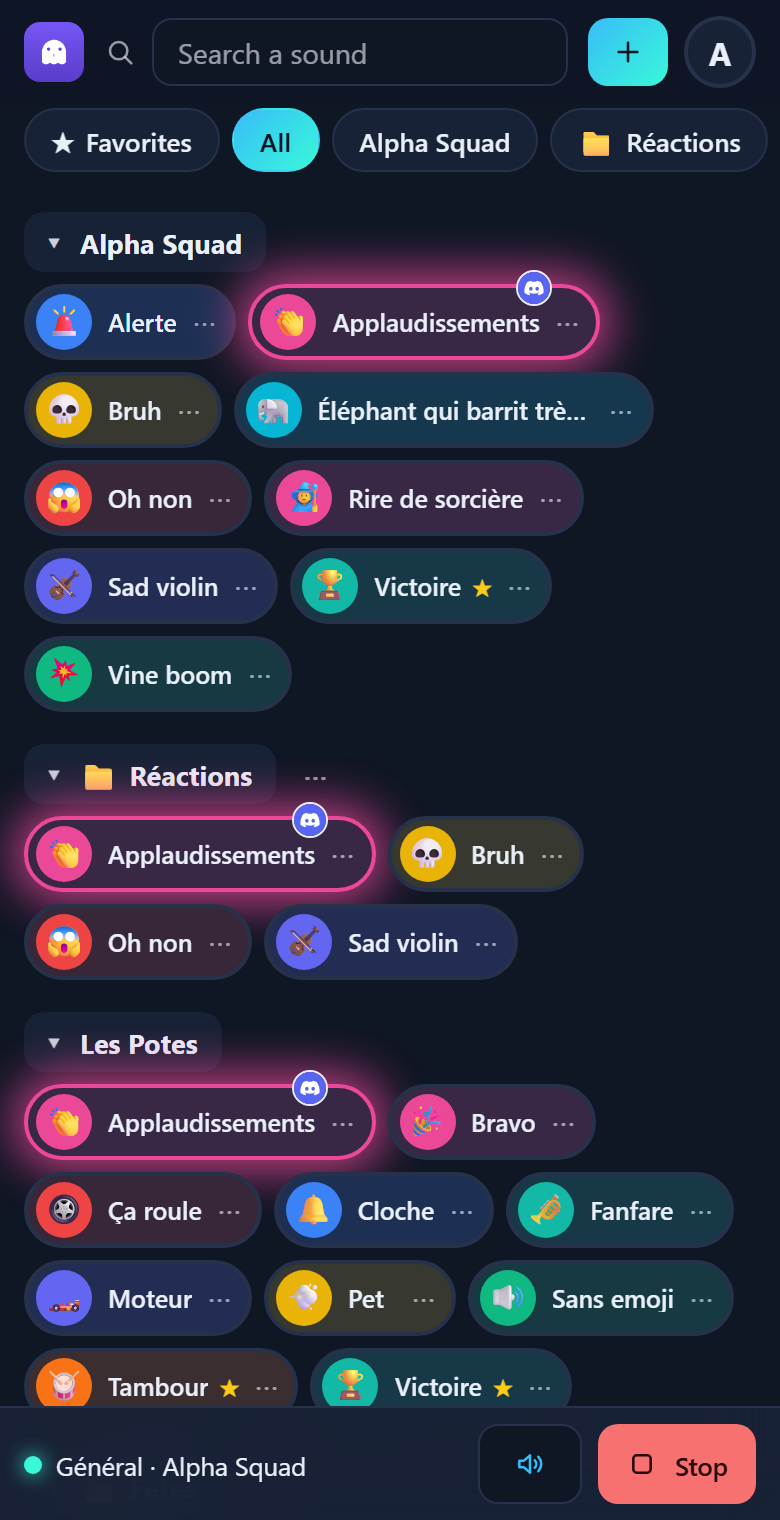
/play with search, /stop, /top and /bilan: without opening the app.
Your sounds also go through your microphone: your teammates hear them in Valorant, CS2, Fortnite…
Discover (in French) →One catalog per Discord server, personal categories, favorites, global keyboard shortcuts.
The app follows your Windows language; light and dark themes, Flat style and color palettes to choose from.
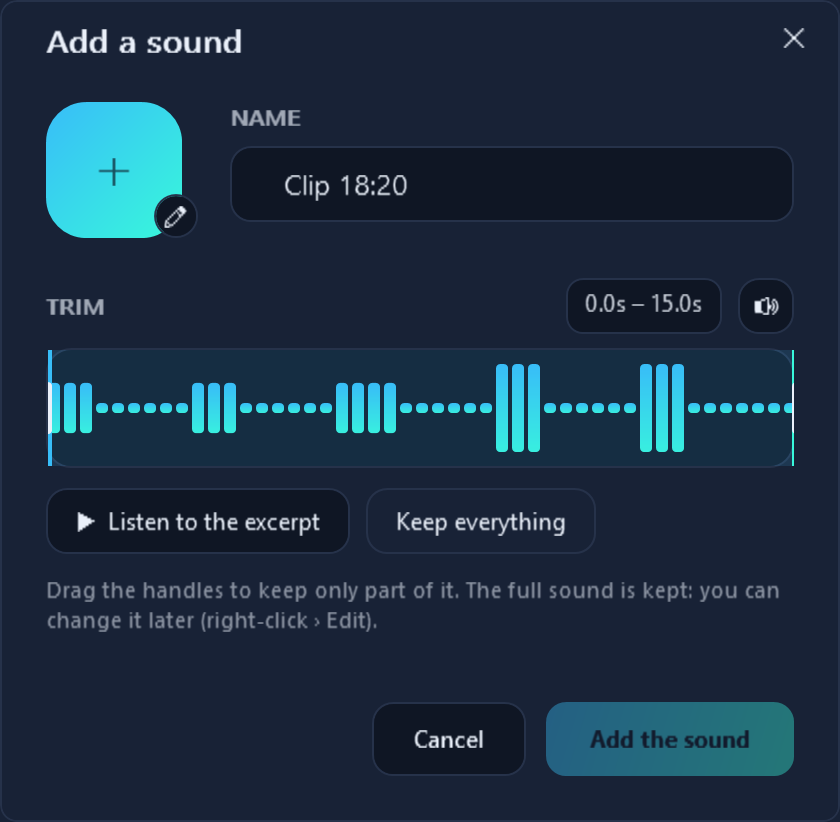
WaseBoard holds the last 10, 15 or 30 seconds of your PC's sound in memory. Press a shortcut and the add window opens: trim it, name it, it's a sound. Off by default; nothing is written to disk until you ask, and a red light shows when the capture is running.
Read the guide (in French)With the in-game mic, your sounds go through your microphone, with no extra software and nothing to change in the game. A 🎮 Game / 🎧 Discord button chooses where they go.
Discover the in-game mic (in French)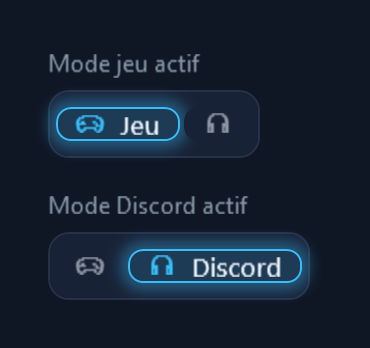
Do you run a Discord server?
The Discord bot and the app connect to the same place: a “WaseBoard server”, which hosts the sound catalog. The one behind this page is public and free.
Add the bot to your Discord, download the client, sign in: that's all.
Open source, with no central server imposed: yours, with no limit and full control over the data.
Free, no account to create: your Discord account is enough.